

Notifications
An agent that finished four minutes ago while you were looking elsewhere has cost you four minutes. Notifications are how Offsite gives that time back.
What fires
Section titled “What fires”| Event | Fires when | Reads, for example |
|---|---|---|
| Turn finished | an agent finished its turn | name finished a turn |
| Input needed | an agent waits for you: a question, a permission prompt, a plan to approve | name needs your input |
| Command finished | a command in a terminal card ran for 30 seconds or longer and ended | name finished a command / name command failed |
| Worktree setup | a worktree’s setup finished or failed, or an agent proposed a setup for the repository | Setup done in folder |
| Agent task done | an agent finished a task you gave it in a dialog: setting up the repository, resolving conflicts, fixing failing checks, answering review comments | Fix the failing checks |
| Goes idle soon | an hour before an inactive session with a running turn or an open port stops running | name goes idle in … |
| Host resources | the host is about to run out of disk space or memory | Host disk is almost full |
The first two are what you will see most: they mean you are now the bottleneck.
Per device, not per account
Section titled “Per device, not per account”Every device you have paired carries its own settings, in the app’s settings under Notifications: Local Notifications for that device’s notifications, and Host Resource Alerts for the resource warning. Your phone can tap you while your iPad stays silent, or the Mac can stay quiet while you are sitting in front of it.
On the Mac
Section titled “On the Mac”A notification arrives as a macOS banner, with the host’s name as its subtitle, so with several hosts you see where it came from. The banner shows even while Offsite is in front, for every host except the one you have open. On that host the card itself tells you: it gets its attention frame and a counter.
They name the session
Section titled “They name the session”A notification carries the session’s name, so you know which agent wants you before you unlock anything. Tapping one opens exactly that session.
“Claude needs your input” could be any of five agents; “api-refactor needs your input” names the one. You do not have to arrange that yourself: agent sessions name their own cards, and your own rename overrides theirs.
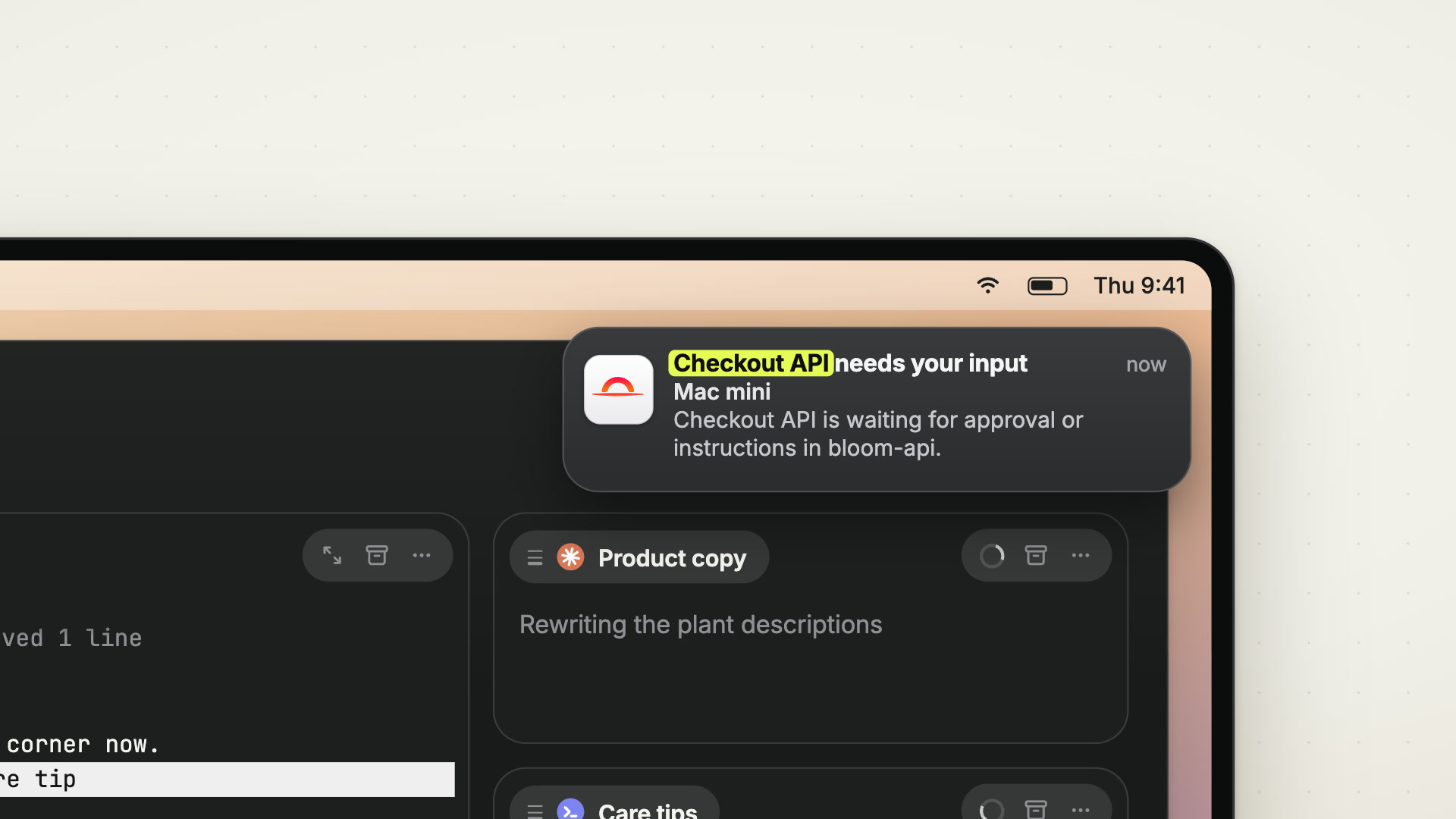 0:48
0:48
Not screen scraping
Section titled “Not screen scraping”Offsite does not watch the terminal for phrases like “waiting for input”. It subscribes to the CLIs’ own lifecycle interfaces — hooks, where the CLI has them — so the signal is the agent actually reporting its state.
A CLI update changes its wording all the time. Its hook contract stays put, so the signal survives the next release.
What a push actually contains
Section titled “What a push actually contains”A lock-screen notification has to be readable text, so this part is not encrypted end-to-end. When your device is not currently attached, the host sends the event to a Firebase function we run, which hands it to Firebase Cloud Messaging and Apple’s push service:
| Travels | Example |
|---|---|
| The session’s name | api-refactor needs your input |
| The workspace’s name | …is waiting for approval or instructions in offsite. |
| Event type, timestamp, and ids for host, workspace and session |
A few events add a detail of their own:
- a finished command: its duration and exit status;
- a worktree setup: the worktree’s folder name;
- an agent task or a worktree setup the agent reports done: the agent’s own summary of what it did, as the text of the push (for a task cut at 180 characters, for a setup in full);
- the resource warning: the host’s computer name and its free disk space.
Apart from those summaries, nothing the agent writes travels: no prompt, no terminal output, no file, no diff, no command.
Two things keep this small by default. A push is only sent to a device that is not connected in the foreground — with the app open, the same event arrives over your own encrypted connection and Firebase is not involved. And with notifications off for a device, nothing leaves the host for it at all.
Since agent sessions name themselves, that name is usually a description of the work — which is exactly what makes the notification useful, and something to keep in mind if a project name is sensitive. The full picture is in Security and privacy.
Details
Section titled “Details”- For Claude, Offsite registers hooks for
SessionStart,UserPromptSubmit,Stop,Notificationmatchingpermission_prompt, andPreToolUsematchingAskUserQuestion|ExitPlanMode. Each one reports the event back to the host, which decides whether it is worth a notification. - For Codex, Offsite uses Codex’s
notifycommand plus its lifecycle hooks (SessionStart,UserPromptSubmit,PermissionRequest,Stop). Codex only runs a hook it has been told to trust; Offsite normally passes the hook and its trust to each session it starts, so nothing is written to your Codex configuration and Codex never asks. If that per-session path is unavailable on a host, a Codex card shows a Codex hook chip: allow it, and Offsite adds one entry to~/.codex/hooks.json— Codex then asks you once, on its next start, to trust it (“Trust all and continue”). Decline, and Codex sessions keep working on thenotifysignal alone.offsite-host codex-hooks uninstallremoves the entry; resetting the host removes it too. - Push delivery to phones rides Firebase Cloud Messaging, via a function we run. The payload is the event, the session and workspace names, and the ready-made title and body, which for an agent task or a worktree setup is the agent’s summary. The session’s terminal content never travels.
- For turns and input, title and body are templates: “name needs your input” / “name is waiting for approval or instructions in workspace.” The agent’s recap is not part of them. The text an agent writes reaches a push in two places only: the summary of an agent task and the summary of a worktree setup.
- Our function stores no notification text; it logs a push-token id, a status, a hashed IP and a timestamp. Transport past that point is Google’s and Apple’s.
- Attention resolves when a device that is actually looking at the session acks it; a background app does not silently clear a notification you never saw.
- Notification settings live per registered device in the host’s
devices.json. - Attention is per session, so a busy board still resolves to one tap on the card that actually wants you.