

How your devices reach your host
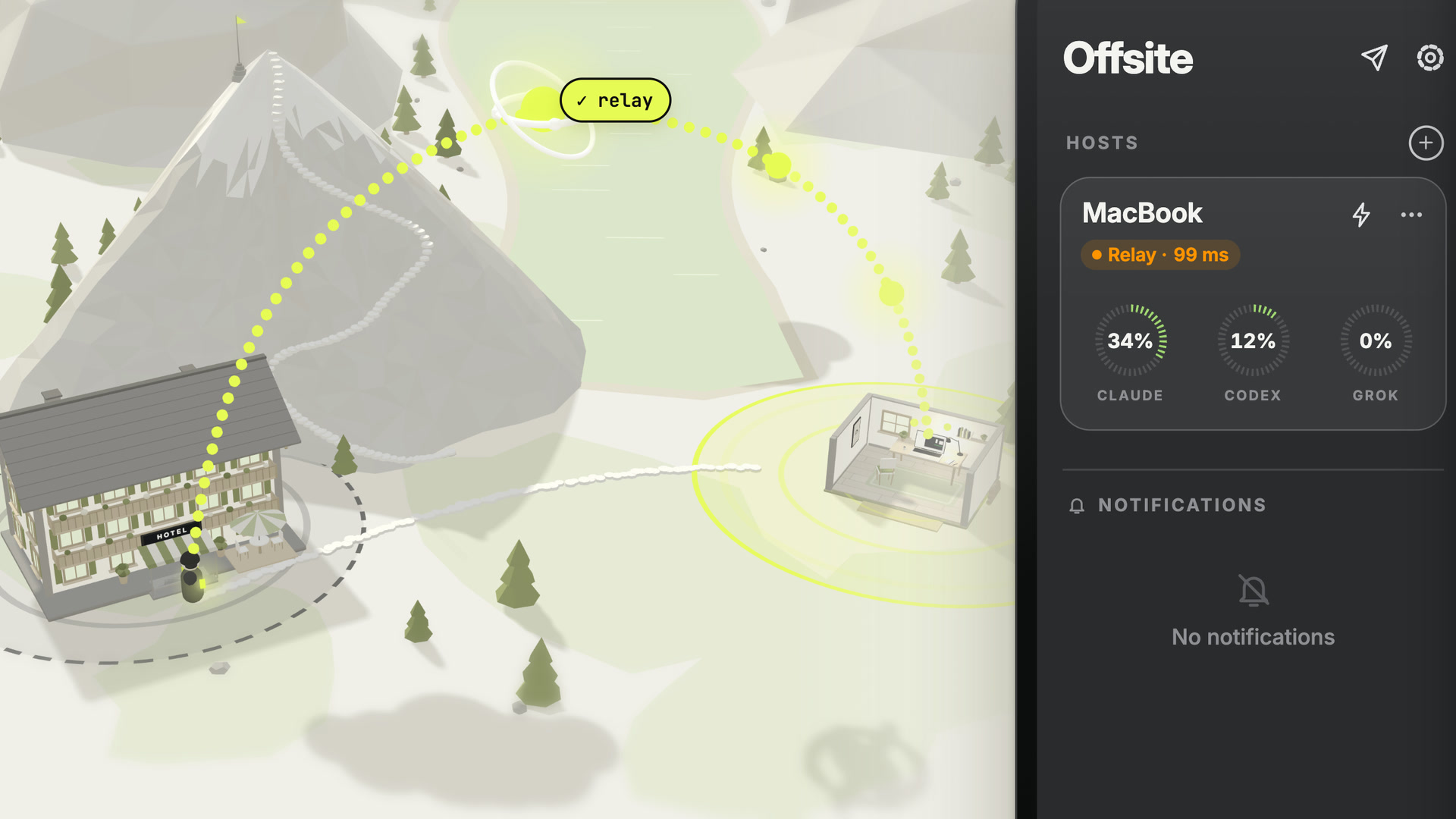
Your host is sometimes on the same Wi-Fi as you, sometimes behind a router in another country, and sometimes both within the same hour. Offsite does not ask you to know which.
 1:16
1:16
The paths
Section titled “The paths”| Path | When it works | Typical latency |
|---|---|---|
| Local network | your device and the host share a network | single-digit milliseconds |
| Tailscale | both machines are on the same tailnet | tens of milliseconds |
| Direct | the host answers at an address of its own: a public IP (a VPS without NAT) or the SSH address you added it by | set by the distance to the host |
| Relay | always, as long as both sides can reach the internet | roughly 90 ms; the pill shows yours |
Racing, not configuring
Section titled “Racing, not configuring”The client attempts every path it knows at the same time and uses whichever answers first. There is no “connection type” for you to pick and no wrong choice to make.
When the path in use goes away, because you walked out of the Wi-Fi or the network changed under you, the app races the paths again and carries on over the first that answers. Your sessions keep running on the host the whole time.
When you are on the relay and a direct path comes up (your local network, your Tailscale or the host’s public address), Offsite moves you to it:
- iPhone: live. It connects over the new path and opens your session’s channel there before it lets go of the relay, so the terminal goes on where it was.
- Mac: it checks the new path with a real SSH round trip, then reconnects over it as soon as the connection is idle. The Mac also moves from Tailscale to your local network.
The pill never lies
Section titled “The pill never lies”The connection pill in the app names the path in use and its latency: LAN, Tailscale, Direct or Relay, and This Mac when the host is the Mac you are using. If it says relay, you are on the relay; if it says LAN at 7 ms, that is a measurement, not a label.
So when something feels slow, the pill tells you whether the network or the agent is responsible.
Turning the relay off
Section titled “Turning the relay off”The relay is optional and switchable per host. Switch it off and that host is reachable only on your own network and your tailnet. Nothing else changes.
See The relay for what it can and cannot see.
Details
Section titled “Details”- Endpoint kinds on the wire are
lan,tailscaleandrelay; a host profile additionally records how it authenticates (relay,directSSH,tailscale). - LAN endpoints are discovered with Bonjour, which is why macOS asks for local network permission on first launch. Decline it and everything still works — connections take a slower path.
- Every path terminates in the same place: Offsite’s embedded agent on the host, over an SSH-backed RPC channel. There is no separate “relay mode” protocol, which is why a path switch does not reset your session.
- Both clients enforce connect deadlines (15 s and 30 s) so a black-holed socket fails instead of hanging forever.
- macOS localhost connections use the same architecture — the local host is not a special case.