

Workspace Actions
Every project has commands you run over and over: the test suite, the dev server, the deploy script, the “check what broke overnight” prompt.
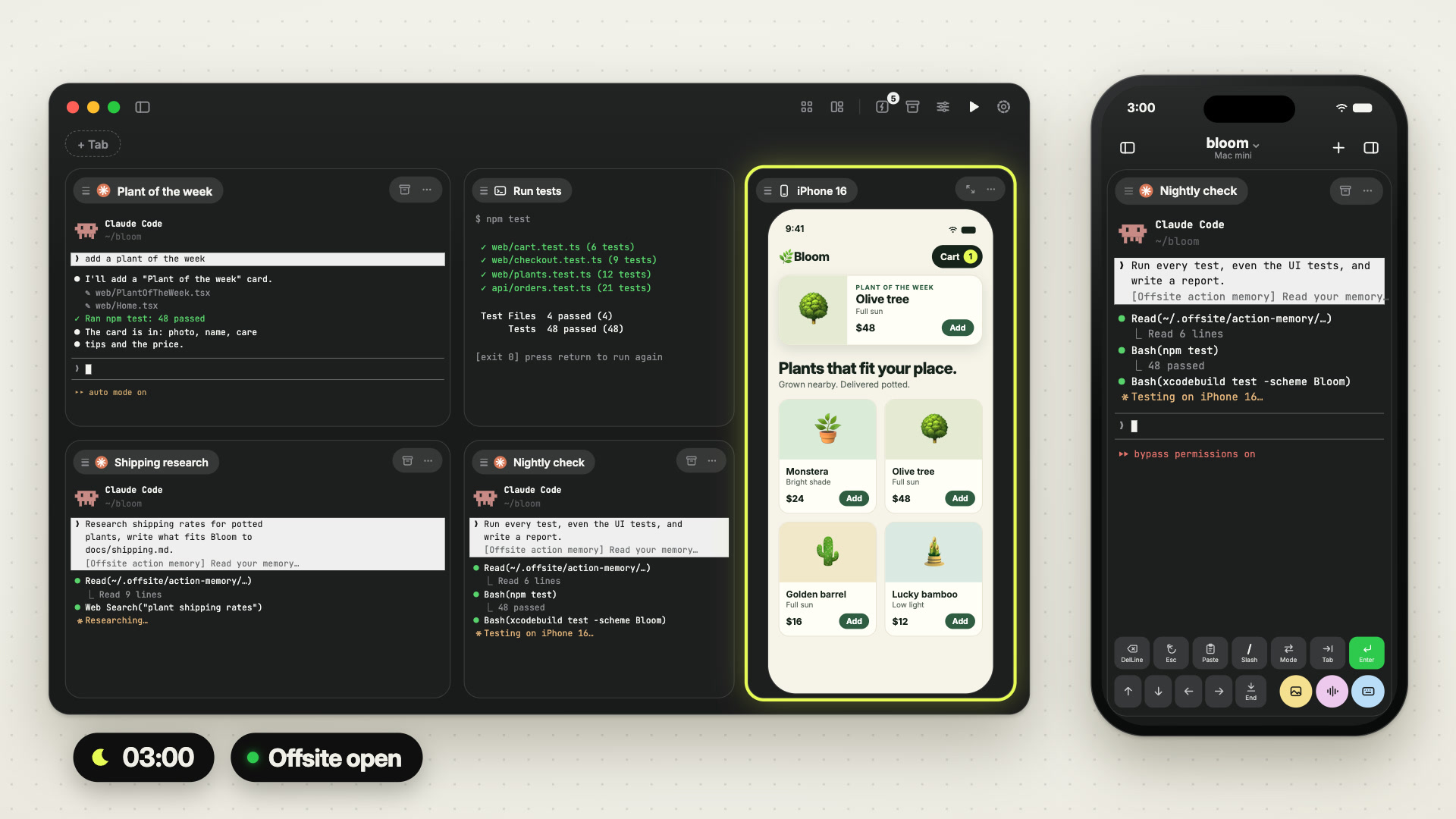
Workspace Actions are those commands, saved per workspace and startable with one tap — including from your phone, where typing them would be miserable.
 1:03
1:03
Two kinds
Section titled “Two kinds”| Kind | Runs | Good for |
|---|---|---|
| Terminal | a shell command in a terminal card | tests, builds, dev servers, scripts |
| Agent | a prompt in an agent session | recurring review, triage, summaries |
An agent action can pin the tool, the model and the permission mode, so “run the nightly cleanup in YOLO with Codex” is one saved thing.
When they run
Section titled “When they run”Four triggers:
- Manual — you tap it.
- Schedule — every N minutes, or daily at a fixed time.
- Restart — when the host comes back up.
- Card — from the card the action belongs to.
The scheduler runs on the host and fires due actions while one of your devices is connected to it: a Mac with the Offsite app open overnight is enough for a nightly run. The restart trigger fires the same way, once per boot of the host. Runs missed while nothing was connected are not repeated; a daily action whose time has passed runs once when a device connects later that day.
An action that runs on its own (on a schedule, or an agent action after a host restart) can be paused. On the Mac the pause button sits next to Run in the Actions list; on the iPhone, Pause is in the row’s … menu.
While an action is paused, the scheduler starts no run of it, and its row says “Paused” in front of the schedule. Nothing else changes: a run that is already going finishes, its card stays, and you can still start the action yourself.
Resume starts nothing. It switches the scheduler back on, and the clock starts fresh: an interval counts from the moment you resume, and a daily time that has already passed today runs tomorrow. Press Run for a run right away.
A paused action keeps its prompt, its settings and its memory, so a nightly job
can rest for a while without being edited or deleted. On the host:
offsite-host workspaces pause-action --workspace-id <id> --action-id <id>, and
resume-action with the same arguments.
The rerun loop
Section titled “The rerun loop”A terminal action does not just run and die. When it finishes, the card waits at a rerun prompt: press Enter and it runs again, in the same card, with the same scrollback above it.
That turns “run the tests” into a loop you can drive with one key, and it is why a live action card is reused instead of piling up new cards.
Action memory
Section titled “Action memory”Every action has a memory file on the host. An agent action is told to read it before starting and may write durable learnings back into it.
This is what makes a recurring agent action get better: the third nightly run knows what the first two discovered, without you re-explaining it.
Run log
Section titled “Run log”The host records each run with what triggered it, when it started and finished,
and its exit status. On the host,
offsite-host actions list-runs --action-id <id> lists the latest runs (20 by
default, --limit up to 200), and offsite-host workspaces list --json shows
each action’s id. That log is how you find out that the scheduled job has been
failing since Tuesday.
Details
Section titled “Details”- Triggers on the wire:
manual,schedule,restart,card. - Schedules are either
{kind: interval, minutes: N}(N ≥ 1) or{kind: daily, at: "HH:MM"}in 24-hour form. Anything else is rejected. - Action memory lives at
~/.offsite/action-memory/<action_id>.mdand is seeded with a short header. Deleting the action deletes its memory file. - The scheduler holds a lock file (
~/.offsite/action-scheduler.lock) so two host processes cannot double-fire an action. - A paused action carries
paused_at; the scheduler skips it. A terminal action’s restart autorun belongs to its restored card, a session that already exists, so a pause leaves it alone. - Run mode
rerun_on_enterrequires a command; the loop is only re-triggered while its prompt is actually up, so a busy card is never interrupted. - A terminal action can choose what happens when it completes — keep the card, or close it.
- An empty Actions list opens straight into New Action…, so the first action is one dialog away.