

The iOS command bar
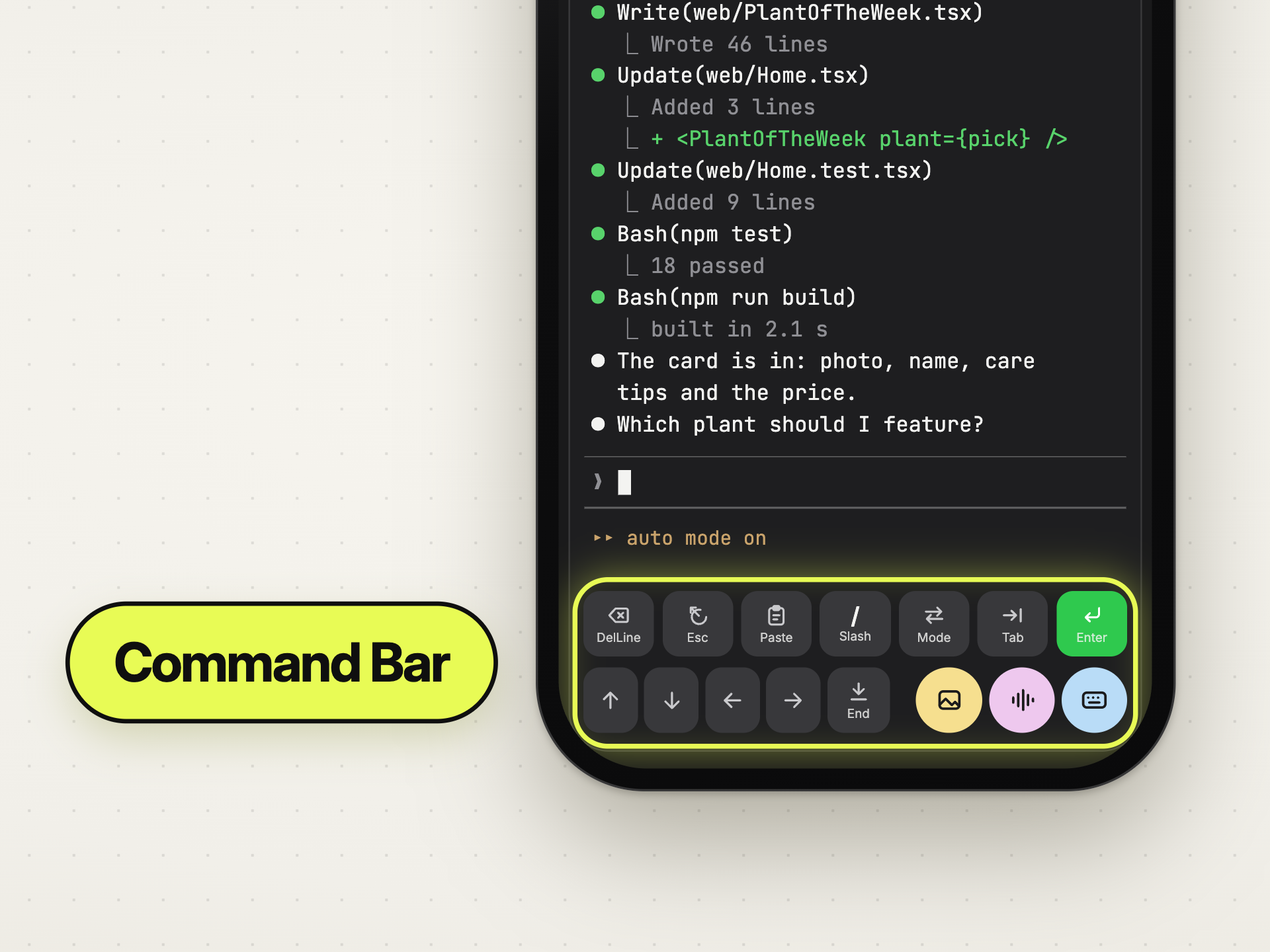
A touch keyboard has no Esc, no Ctrl, no arrow keys and no Tab. A terminal
needs all four. The command bar is the row above the keyboard that puts them
back, plus the things you actually reach for on a phone.
 0:43
0:43
What is on it
Section titled “What is on it”| Keys | Esc, Tab, arrows and the other keys the touch keyboard lacks |
| DelLine | delete the line you are typing |
| Modifiers | Ctrl, Shift and Alt for the next key, see below |
| Upload | files, photo library, or the camera — see Sending files; other apps reach a session through the share sheet |
| Paste | the clipboard into the session |
| Mic | voice input |
| Keyboard | show and hide the keyboard without losing your place |
It is configurable, per tool
Section titled “It is configurable, per tool”The rows are not fixed. Open the Command Center editor from the bar and build the layout you want — and it is stored per tool, because what you need in Claude is not what you need in a shell.
Typical use: put the approve and deny keys for your agent’s permission prompts on the first row, so answering from a lock screen is one tap rather than a hunt.
Compact mode shrinks the buttons when you would rather have more terminal than more bar.
Ctrl, Shift and Alt
Section titled “Ctrl, Shift and Alt”Add Ctrl, Shift or Alt to a row in the Command Center editor and you can send any key combination, not only the ones that have a button of their own.
Tap the modifier, then the key. The modifier lights up, the keyboard comes up
if it was hidden, and the next key goes out combined with it: Ctrl then t
is Ctrl-T, Alt then b jumps back a word. After that one key the modifier
is off again. Tap it a second time to switch it off without sending anything.
The next key can also be a button on the bar: Shift then an arrow, Shift
then Tab, Alt then Enter. You can light up more than one modifier for
the same key.
Return and Enter
Section titled “Return and Enter”| In | Return on the keyboard | What sends |
|---|---|---|
| Claude, Codex, Grok | starts a new line in your prompt, the way a messaging app does | the bar’s Enter button |
| a plain terminal | runs the command, as you would expect from a shell | Return |
Stopping and clearing
Section titled “Stopping and clearing”- Esc stops the agent’s current turn and keeps the conversation.
- DelLine deletes the line you are typing.
- Ctrl-C is on the bar in a plain terminal, where it interrupts the running process. To end an agent session, archive it.
Why not just the keyboard
Section titled “Why not just the keyboard”Because the most common mobile interaction with an agent is not typing a
paragraph. It is answering: yes, no, option 2, Esc. Those are single
taps if the bar is set up, and a fight with a touch keyboard if it is not.
Details
Section titled “Details”- Button rows are stored per tool on the device
(
IOSCommandCenterStorage), and compact mode underios_command_bar_compact_mode. - Every button in a mode shares one height, so no row is visually taller than another.
- The mic button lives in the bar, but the transcript bubble renders at card level so it can overlay the terminal without resizing it — the terminal never reflows mid-dictation.
- Voice needs your own OpenAI key; the bar offers the setup sheet when it is missing.
- macOS has no command bar; it has keyboard control instead.