Workspace Actions: the jobs you repeat, saved once
Every project has jobs you start again and again: the test suite, the dev server, the morning look at what broke overnight. Workspace Actions save them per workspace, start them with one tap on any device, and let the host run them on a schedule.
Every project has its rituals. You run the test suite after each change, start the dev server every morning, ask an agent once a day what changed in the dependencies. Each time you type the same command or paste the same prompt, and on a phone that typing is what makes you leave it for later.
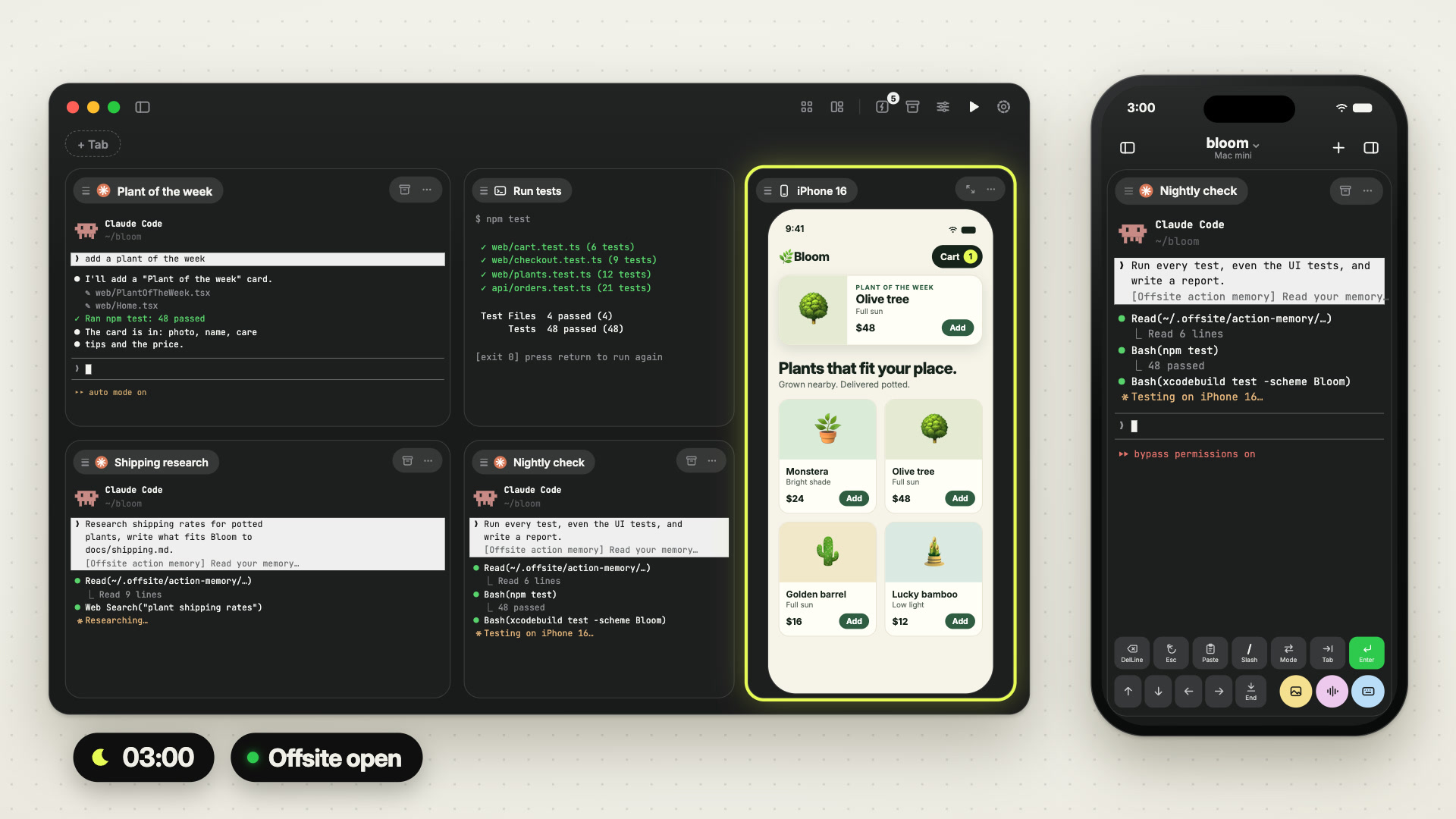
Workspace Actions are those jobs, saved once per workspace. One tap starts an action on your Mac or your iPhone, and the host can start it on its own: on a schedule, or when it comes back up after a restart.
 1:03
1:03Two kinds of action
A terminal action runs a shell command in a terminal card: the tests, a build, the dev server, a deploy script.
An agent action sends a prompt to an agent session, and it can fix the tool, the model and the permission mode it runs with. “Run the nightly cleanup with Codex in YOLO mode” is one saved thing.
What they are good for
A nightly check. An agent action, daily at 03:00: run the test suite and the linter, look into whatever fails, write down what you found. In the morning the card holds the finished turn, and your phone has the notification that it is done.
More work for the night. The same night can hold more than the tests, each a saved prompt with its own agent and time: an idea scout that looks at what new shops launched this week and brings three ideas, a review of the code merged today that flags risky changes and missing tests, a triage that labels new issues and finds duplicates, a docs update with what changed in the last days. You read what they left over breakfast.
Research. An agent action for the question you keep asking: read what changed in our three main dependencies since yesterday, and list what affects us. Each run reads what the earlier ones noted in the action’s memory and builds on it.
Tests, one key at a time. A terminal action for the test suite. When it finishes, the card waits at a rerun prompt: press Enter, and the suite runs again in the same card, with the last output above it. From the phone that is one tap to start and one key to repeat.
A check of the page itself. With Browser Use on, as it is by default, every agent session has the Agent Browser, so an agent action can look at the running app the way a person would: open localhost:5173, go through the checkout on an iPhone-sized screen, report what breaks. You watch the browser on the agent’s card while it works, from your Mac or your phone.
After a restart. An agent action can run when the host comes back up, to start what your project needs and check that it answers.
How it runs
On the host. The schedule lives on the host: every N minutes, or daily at a fixed time in the host’s local time. The host starts each run itself while one of your devices is connected to it: the Mac app left open at home overnight is enough.
With a memory. Every action has a memory file on the host. An agent action reads it before it starts and rewrites it before it finishes, short, with only what the next run needs. The third night knows what the first two found, without you explaining it again.
With a run log. The host records each run with what started it, when it started and finished, and how it ended. offsite-host actions list-runs on the host shows a scheduled job that has been failing since Tuesday.
Small things. A terminal action decides what happens when it completes: the card stays, or it closes. An empty Actions list opens straight into New Action…, so the first one is a single dialog away.
New posts by email
An email when a new post is out, about Offsite and about working with coding agents.
You confirm your address once, and every email has an unsubscribe link. Sent with Buttondown, see the privacy policy.