Testing on the go: close the loop from wherever you are
Steering an agent from your phone is easy today. Trying what it built is where work away from the desk stalls. Offsite brings the build to the device in your hand: the dev server through a tunnel, the agent’s own browser, the Simulator, the app on your iPhone, and Git to ship it.
You can prompt an agent from anywhere now. The agent works, the notification says it is done, and then you need to know whether it is right. That means trying it: tapping through the page, opening the app, reading the diff. If trying only works at your desk, the loop stops the moment you leave it, and the agent waits until you are back.
Offsite puts its weight on that step. Everything the agent builds on your host comes to the device in your hand, so you test it, say what is wrong and send the agent back to work from wherever you are.
A morning on the trail
9:40. You ask Claude to build the new onboarding flow, grab your pack and leave.
10:20, on the trail. A notification: the turn is finished. You open the board, skim the diff, open the dev server on your phone and tap through the flow. The empty state is wrong. You tell Claude, and it gets back to work while you keep walking.
11:05. The next notification. This time you try the real thing: the build lands on the iPhone in your hand. Two more notes, one of them dictated.
12:30. Approved and merged, from a bench with a view.
Had the testing waited for the desk, you would have tried the flow at two in the afternoon, and the loop would have run once that day. Here it ran three times before lunch.
Five ways the build reaches you
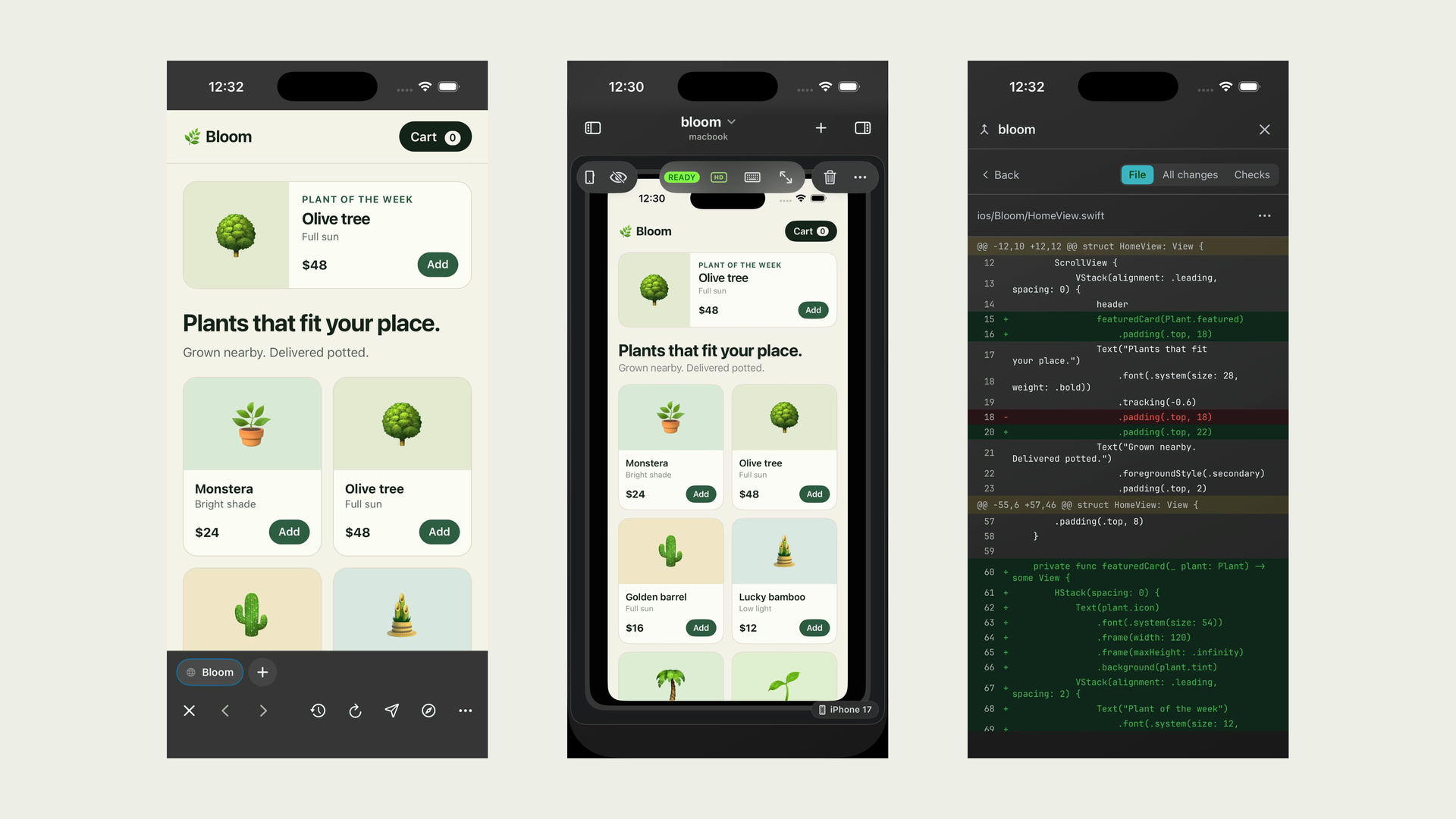
Your host’s localhost, on the phone. The dev server your agent started listens on the host. The Browser card tunnels each port through the connection the app already has, so localhost:5173 opens on your iPhone, with the same tabs as on your Mac. Mark the part of the page that is wrong, write one line about it, and the agent gets the marked picture with your note.
The agent checks first. In the Agent Browser, the agent opens the page itself, in a browser on the host, clicks through it, tries the phone layout and fixes what it finds before it calls you. You watch the pointer move on its card.
The Simulator in your hand. For an iOS app, the host’s Simulator runs as a card, streamed live to your phone, and your taps go back into it. The build the agent just made is the build under your thumb, with no upload in between.
The app on your iPhone. When the Simulator is not enough, Deploy to this phone builds the project on the host and installs it on the iPhone you are holding, through Apple’s own install prompt, with no cable and no TestFlight round trip. It uses the host’s Xcode and signing setup.
Git, at phone width. The Git card shows the diff file by file, readable on a phone. Commit, push, open the pull request, follow its checks and merge it from the same card.
Why the weight is here
Answering an agent takes a few words, and almost any tool lets you send them from a phone. Trying its work needs the real thing in your hand, and that step decides the next prompt. “The submit button sits under the keyboard on a small screen” is a prompt an agent can act on, and you can only write it after you have used the app. When you can write it from a trail, your agents keep working while you are out.
The Browser card and the Agent Browser work with a Mac or a Linux host. The Simulator and Deploy to this phone need a Mac as the host, because that is where Xcode runs.
New posts by email
An email when a new post is out, about Offsite and about working with coding agents.
You confirm your address once, and every email has an unsubscribe link. Sent with Buttondown, see the privacy policy.