The Browser card: your host’s localhost on every device
Your agents run dev servers on your host, and from anywhere else its localhost is out of reach. The Browser card opens them on your Mac and your phone, with the same tabs on both.
Your agents start dev servers on your host: the frontend on localhost:5173, an API on localhost:8787. Those addresses answer on the host and nowhere else. From your phone on the train, localhost is out of reach, and even with a way in you would have to know every port and open every tab again.
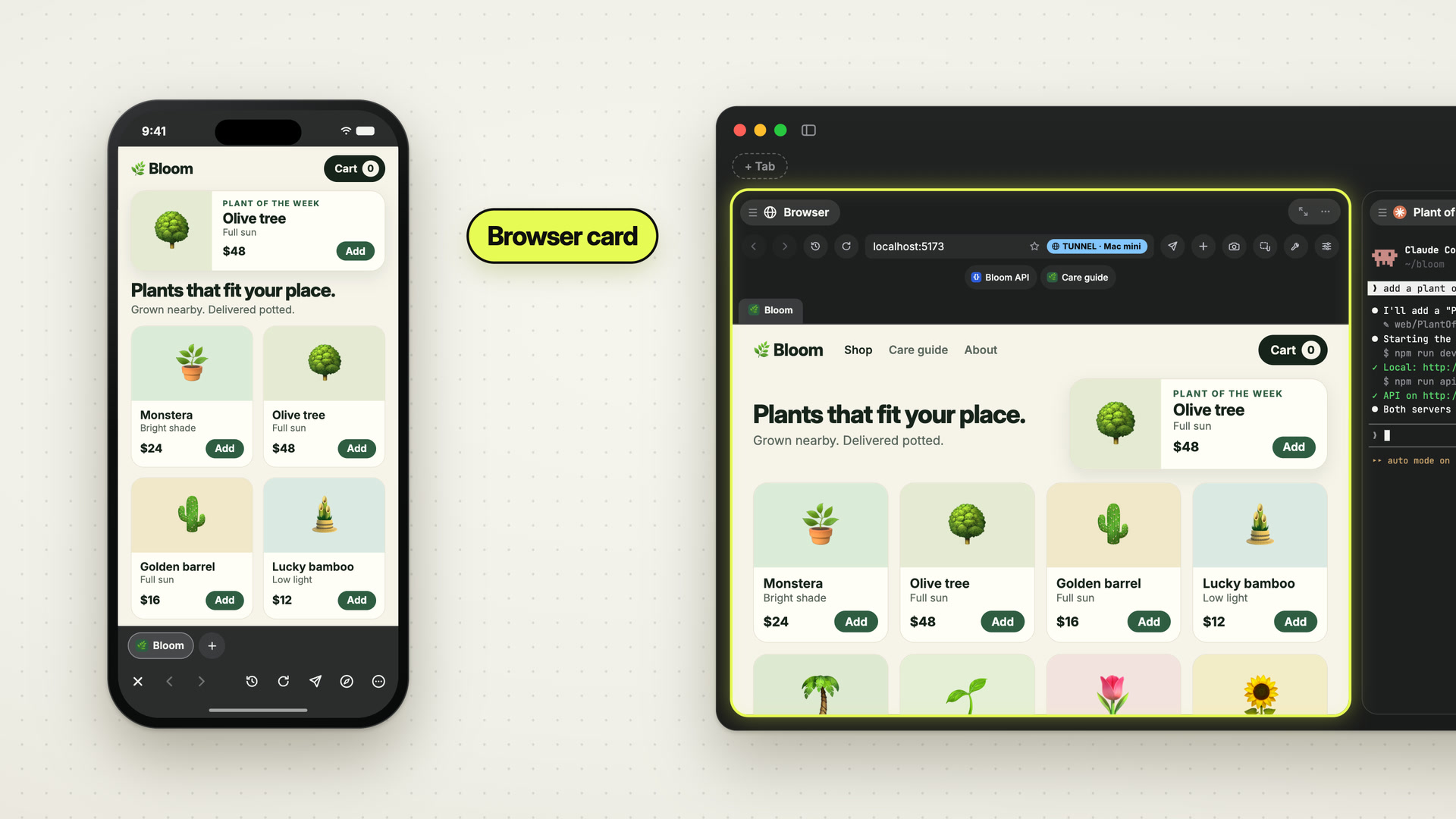
Offsite makes those servers reachable on every device you own, by itself. The Browser card is your host’s localhost, on your Mac and on your iPhone, and its tabs are the same on both. Start at your desk, pick up your phone, and keep going on the page you had open.
 0:53
0:53How it works
Every tab tunnels to its own port. The Mac forwards with ssh -L, the iPhone opens a tunnel of its own, and both ride the connection the app already has to your host. Nothing new is authenticated and no port opens on the host. A tab on another port gets its own tunnel while the other tabs keep theirs, so your frontend and your backend are open side by side. A server bound to 127.0.0.1 is enough.
Your tabs are synced. The tabs, the one that is open and each tab’s address belong to the host, so every device shows the same card. Switch tabs on the Mac and the phone follows. Open a docs page on the go, and it is right there on your Mac when you sit down.
Favorites belong to the workspace. Star a page and it shows on the Mac’s favorites bar and on the card on your phone. Command-click a favorite on the Mac to open it in a new tab.
Running servers list themselves. The host sees which ports are listening in the workspace and which session started them. The card’s launchpad lists each server as it comes up, with its port, its command and its session, on your phone and on the Mac when the card is small.
On the iPhone it is a browser of its own, with tabs, an address bar, history, Send to agent and Open in Safari, and the controls at the bottom of the screen.
It stays yours. The Browser card renders on the device in your hand, with your cookies and your logins, kept per workspace and per device. No agent can see it or touch it, through a tool or through the command line. Data moves in one direction, from you to an agent, when you mark part of a page and send it. For the browser your agent drives, there is the Agent Browser.
New posts by email
An email when a new post is out, about Offsite and about working with coding agents.
You confirm your address once, and every email has an unsubscribe link. Sent with Buttondown, see the privacy policy.