Your agents on every Mac you own
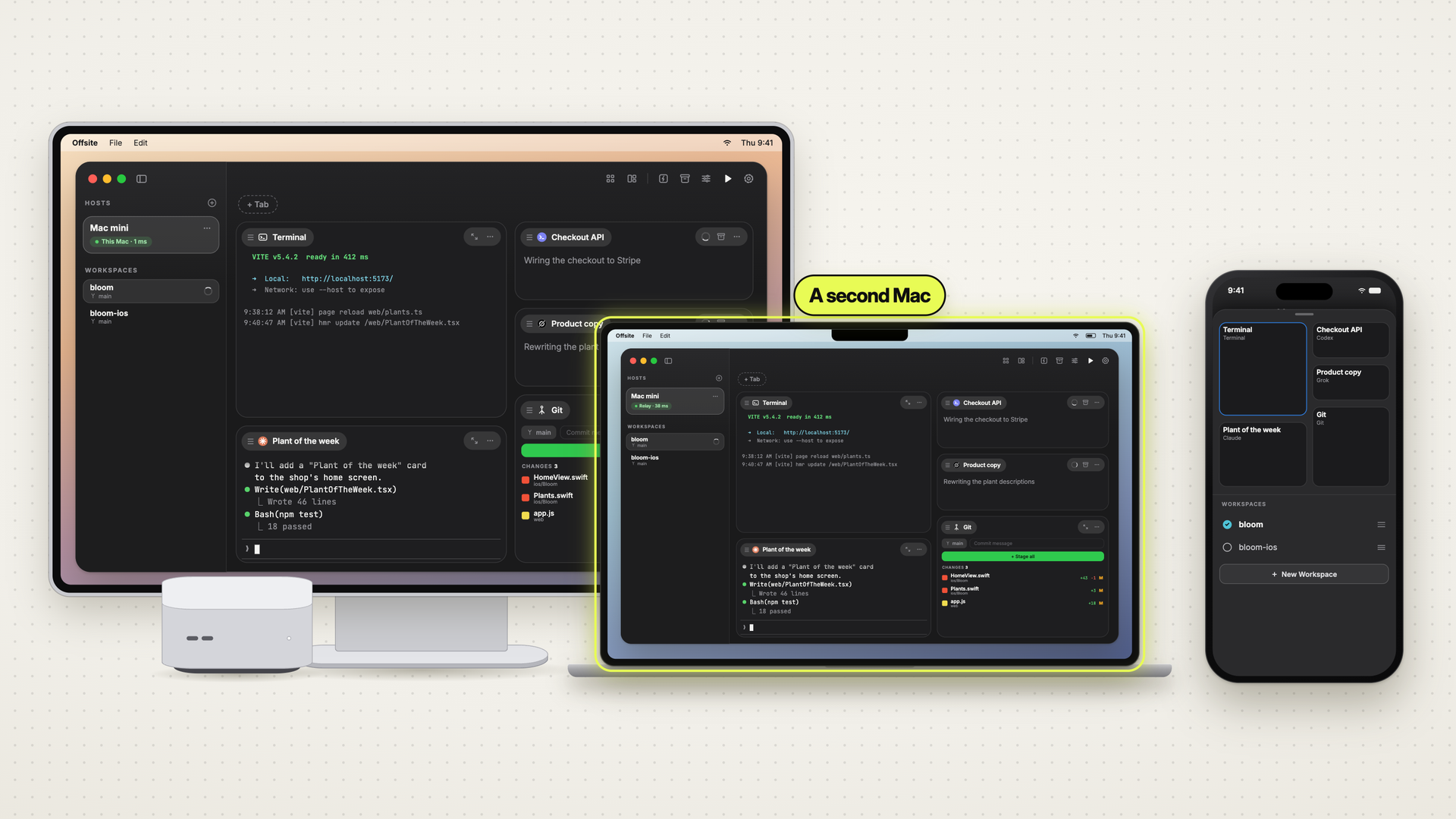
Agents running on a Mac at home, and a MacBook you take along: with one code the MacBook joins the same host, the whole board is there, and a card you open on one device is cleared on all of them.
You run agents on a Mac that stays at home: a Mac mini, a Mac Studio, or a notebook that lives on the desk. Claude Code, Codex and Grok work there for hours. Then the day moves to the couch or the train, the MacBook comes along, and the sessions stay on the other machine, in terminals you cannot reach.
In Offsite the sessions live on the host, and every device of yours can open them. A second Mac is one code away.
 0:49
0:49Add the MacBook in under a minute
On the host, here a Mac mini, open the ⋯ menu of its row under HOSTS and choose Add a Device…. The sheet shows a QR code for an iPhone and, beside it, the host code for another Mac: eight characters like 9MHT-2QXF.
On the MacBook, open Offsite. On its first launch it asks where your development environment runs: choose Just Connect and Continue. Type the code and press Apply: the host’s name comes in. Connect, and the host appears in the sidebar with its workspaces and its board. If the MacBook already uses Offsite, the same screen is behind + next to HOSTS → Connect to Existing Host….
The code works once and for about ten minutes; as soon as the MacBook has used it, the sheet shows the next one. The MacBook now has a key of its own: its host menu says “This device is authorized since today”. How keys work and how you take one back is in Pair a device by code, revoke it from the host menu.
The same board, live
The MacBook shows the sessions that run on the Mac mini, as they run: Claude’s terminal writes the same line on both screens at the same moment, and what you type on one shows up on the other.
Opened once, cleared everywhere
When an agent asks something, its card turns red on every device that has the board open: the Mac mini, the MacBook, the workspace picker on the iPhone, with a count at the workspace. Open it on one device, and the host clears it for all of them. In the evening the Mac mini is clear of a question you answered on the train.
Good to know
- Any Mac can be the host. A Mac mini, a Mac Studio, or a notebook: the agents run where the host runs.
- Each device its own code. One code pairs one device. For a second iPhone or a third Mac, read the next code.
- Notifications per device. In each device’s settings, choose which device taps you. The iPhone can buzz while the MacBook stays quiet.
- The agents run on the host. Close the MacBook’s lid, and they keep working on the Mac mini.
New posts by email
An email when a new post is out, about Offsite and about working with coding agents.
You confirm your address once, and every email has an unsubscribe link. Sent with Buttondown, see the privacy policy.