Send screenshots and files to your agent from your iPhone
The screenshot is on your phone, the agent on your Mac. Offsite sits in the iPhone share sheet: pick the session, or start a new agent, and the files land on your host with their paths in the prompt.
A screenshot of the bug you just hit on the phone, a spec someone mailed you as a PDF, a crash log a tester shared. They sit on your iPhone, in Photos, Mail or Files, and your agent runs on your Mac. Getting them there meant AirDrop, the Downloads folder and a drag into the terminal.
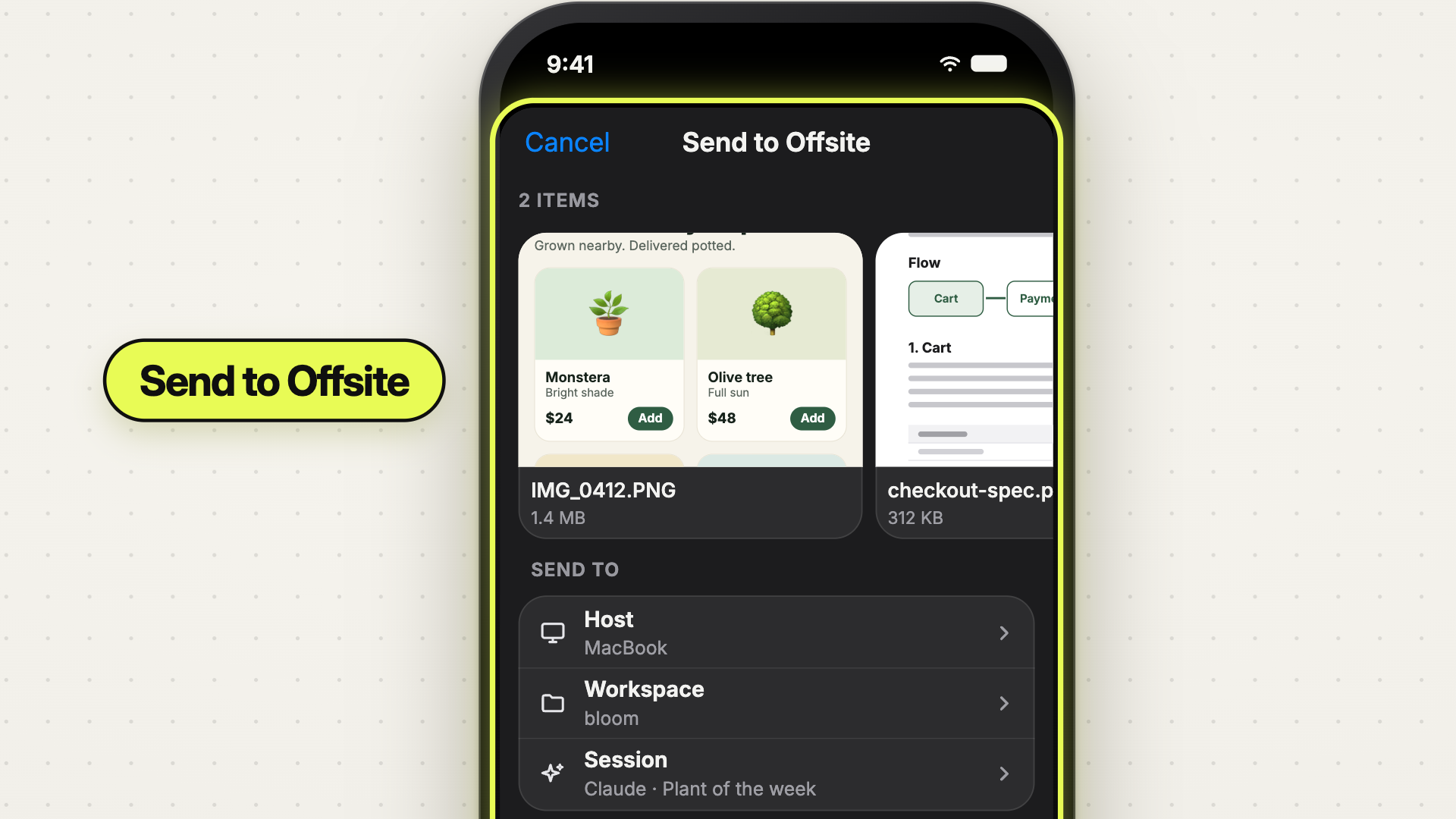
Send to Offsite puts Offsite in the share sheet of every app that shares a file. Tap Share, pick Offsite, and the files go straight into a session on your host.
 0:43
0:43What you send
The sheet shows each item as a card you can swipe through: the image itself, a PDF’s first page, the file’s icon for the rest. Up to twenty items go in one share. Each one can be up to 30 MB; a larger file is marked and stays behind while the others go.
Where it goes
Below the cards are three rows: Host, Workspace and Session. They start on the session you had open in Offsite, so the usual case is one tap on Send.
Another target is a tap away. The session page lists every agent session of the workspace (Claude, Codex, Grok), and every worktree with its branch and its own sessions in a group of its own. A host the app has not loaded yet is listed too; you choose its workspace and session in Offsite after the jump.
A new agent for the files
Sometimes the files start the task. New agent session opens the agent picker: choose Claude, Codex or Grok, then the model and the effort from their menus, the same catalog the host offers on the Mac. When you send, Offsite starts that session and hands it the files once it runs.
What happens after Send
Offsite opens and shows where the job stands (“Sending 2 files”, “Starting Codex…”). Then the files take the same path as a drop on a session card on the Mac:
- Images open in the annotation editor first. Circle what you mean and the circle goes up with the picture; write a line per marker, and the agent gets your notes with it.
- PDFs and every other file upload straight to your host, even a Linux box in the cloud.
- The paths land in the session’s prompt, one per line, and go to the agent when you press Enter.
If the session you chose closed in the meantime, Offsite asks for another one with the files still in hand.
Try it
Connect a host in Offsite once, then send from the share sheet of any app that shares a file.
New posts by email
An email when a new post is out, about Offsite and about working with coding agents.
You confirm your address once, and every email has an unsubscribe link. Sent with Buttondown, see the privacy policy.