An agent that waits is a machine standing still
In a factory, the costliest machine is the one standing still. An agent waiting for your answer is that machine. Twenty seconds on your phone turn the wait into work, and your output multiplies in the hours you already work.
In a factory, the costliest machine is the one standing still. It cost what it cost, it takes its floor space and its power, and it produces nothing. Factories measure this down to the minute, because every minute of a stopped machine is output that never comes back.
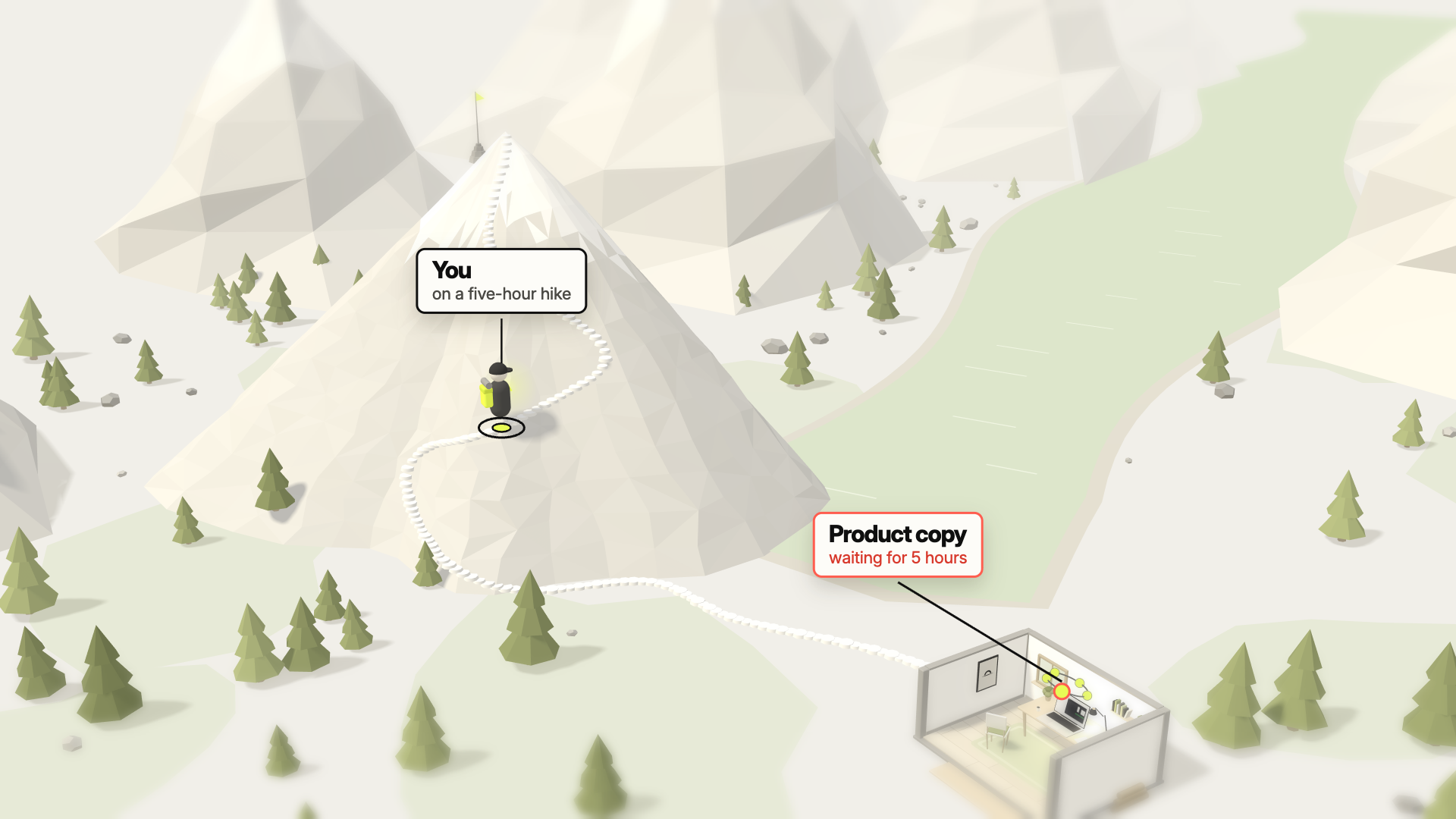
An agent that waits for your answer is that machine. It asked whether it may run a migration, which of three tones you want for the product copy, or it finished its turn and needs the next task. From that moment, nothing moves until you come back.
 1:10
1:10Where the waiting comes from
Agents need you for a moment at a time: a permission prompt, a question with a few answers, a plan to approve, the next task when one is done. In the day the film shows, most of these moments come while you are away from the Mac: on a hike, at the gym, after dinner.
I go for a five-hour hike, and an agent that asked a question ten minutes after I left waits all five hours. The answer would have taken me twenty seconds.
Twenty seconds from wherever you are
You know the moment it asks, and which one. With five agents on a board, “Claude needs your input” could be any of them. Offsite’s push carries the name of the session and its workspace, “Product copy needs your input”, because the agents name their own cards. The signal comes from the CLI’s own hooks, so it arrives the moment the agent waits.
One tap puts you in that session. The phone opens the same session that runs on your Mac, with the question and its answers on screen. Enter takes Claude’s first answer, and “1. Yes, proceed” lets Codex run its command. The card that was red on your Mac is clear the moment you open it on the phone.
The next task is a sentence. Tap the mic in the Command Bar, say what comes next, send it. Before bed I give three agents their next task this way. It takes a minute, and they work while I sleep.
The agents keep running when you put the phone away. They run on your host, a Mac at home or a server, and no device has to stay connected. A MacBook as the host stays awake with the lid closed, plugged in, when you turn on Disable host sleep.
Your output, multiplied
The film ends on a chart of one example day with five agents. Answered only at the desk, they work while I sit at my Mac and stand still for most of the rest of the day. Answered from wherever I am, the same day is almost all work: a few dots on the trail, one between two sets, one before bed, twenty seconds each, and three agents run into the night.
I keep the hours I already work, and my agents work all day and into the night without waiting for me. Twenty seconds on the trail, twenty between two sets, a minute before bed.
Good to know
- Two pushes matter most. “Needs your input” when an agent waits for an answer, “finished a turn” when it is ready for the next task. Both are on by default, and each device has its own switch.
- Red until you look. A card that asks stays red on every device that has the board open, until you open it on one of them.
- Your own key for dictation. Transcription uses your OpenAI key, entered once in the app. Offsite runs no speech service.
- Into the night. For a Mac host that works into the night, keep it plugged in and choose Unlimited with the bolt on its row. A Linux host stays up on its own.
New posts by email
An email when a new post is out, about Offsite and about working with coding agents.
You confirm your address once, and every email has an unsubscribe link. Sent with Buttondown, see the privacy policy.