Three bets behind Offsite
The best agent changes from month to month, and the work around agents is moving off the desk. Offsite is built on three bets: the labs’ own CLIs side by side, every device in sync so that going from desk to phone costs nothing, and native apps.
Agentic development changes from one month to the next: a new model, a new CLI command, agents that run for hours while you are somewhere else. A tool for this work has to decide what it builds on, and that decision shows in every screen. Offsite builds on three bets, and each one explains something you will notice in the app.
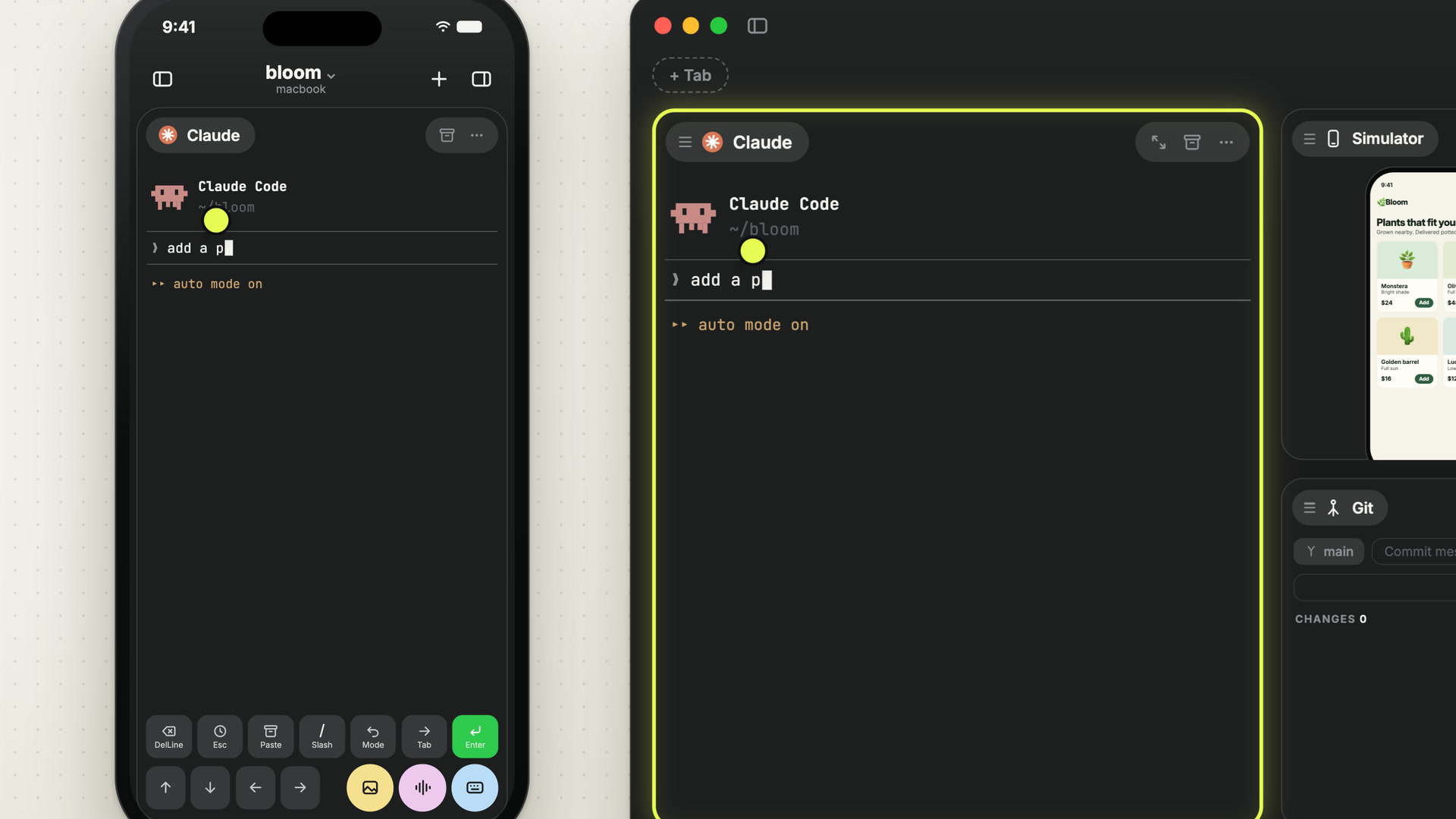
One: many providers, each with its own CLI
No lab stays ahead for long. One month the best agent for your task is Claude Code, the next it is Codex or Grok, and on a hard problem you want two of them at once. If that means switching apps, or waiting until a wrapper has caught up, you lose what the new release gave you.
Offsite runs the CLIs the labs ship, claude, codex and grok, side by side on one board, with a plain shell beside them. Each card is the real binary, started on your host. Offsite has no agent of its own, which gives you three things.
Your subscription. The CLI signs in with your own plan and talks to Anthropic, OpenAI or xAI directly from your host. Offsite resells no compute, meters nothing, and your tokens never pass through it.
Your setup. Claude Code and Codex start with your own configuration, MCP servers and skills, the same as in your terminal.
New features on day one. When a lab ships a new model or a new command in its CLI, it works in Offsite the same day, on your Mac and on your phone, because the card runs that CLI.
Two: the future is remote and mobile
Agents work for hours without you. They need you for a moment at a time: a question to answer, a diff to review, a build to try. That moment rarely comes while you sit at your desk. If going from the Mac to the phone means another app, a reduced view or a reconnect, you put it off until later, and the agent waits for you.
In Offsite every device shows the same work. The host owns the sessions, the board, the tabs and the Icebox, and every device you pair renders them from there. Type on the Mac, and the phone shows each keystroke as it lands. Switch tabs in the Browser card on your Mac, and the phone follows. Pick up the phone on the way out, and you are on the same board, in the same session, with the same half-typed prompt. The sessions keep running on the host when no device is connected, so a switch never interrupts an agent.
What belongs to a device stays with it: the card you have in focus, the layout of the Agent Browser’s tile, which notifications reach you there. Clicking something on the Mac never moves the phone in your pocket.
Three: native apps
A terminal you work in for hours has to keep up with your fingers and leave your keys to your CLI. An app on your phone has to behave like the phone.
Offsite is a Mac app and an iPhone app, each written in Swift for its platform, with no Electron shell around them. The terminal is a native view on both. On the Mac, the app reads every key before the terminal does, so every Offsite shortcut can contain ⌘ while Esc, Ctrl-C and everything else go to the session untouched. Host profiles and credentials sit in the system keychain. On the iPhone, the Command Bar sits above the system keyboard with the keys a CLI needs, and notifications arrive as the system’s own. Light, dark or automatic is set per device, and app and terminal each have a theme of their own.
New posts by email
An email when a new post is out, about Offsite and about working with coding agents.
You confirm your address once, and every email has an unsubscribe link. Sent with Buttondown, see the privacy policy.