The board: every agent at a glance, any one of them in focus
With several agents running, a tab bar shows you one of them and windows bury each other. The board keeps every agent in view as a card, Focus mode takes you into one conversation and back out, and the work moves on to the Icebox and the Archive as it progresses.
Once three or four agents work at the same time, a tab bar shows you one of them, and you learn that another has finished when you happen to click its tab. A window per agent buries the screen in half-covered windows. Either way you choose between the overview and the conversation you are in.
Offsite puts every session on a board: a grid of cards, all live, side by side. Cards are small, so many agents fit on one screen, each showing what it is doing. When one needs you, Focus mode takes you into its conversation, and the same keystroke brings you back to the whole board. You go deep into one discussion and never lose sight of the others.
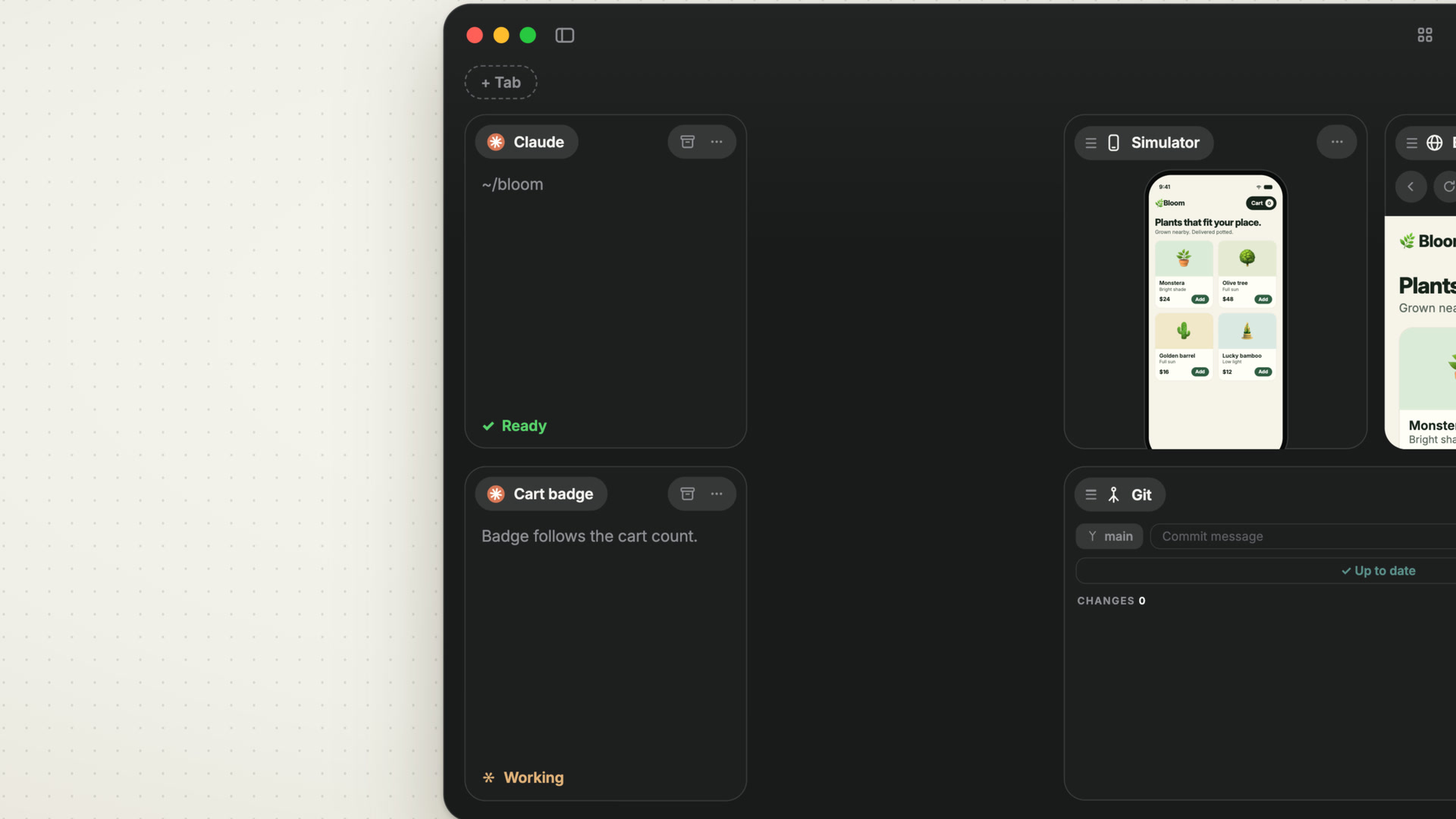
Cards that fit many agents
Every card is a session on your host: an agent, a terminal, Git, Files, a browser or the Simulator. A small card trades its live terminal for a compact view with the session’s name and the agent’s own one-line recap of what it is doing. The status sits on the card: a spinner while a turn runs, and Needs attention once the agent has finished or waits for you. A dense board still reads at a glance.
In and out with Focus mode
Double-click a card, or press ⌘⌥Return, and it fills the board. The other cards move into a strip and keep updating there: when an agent elsewhere finishes, its badge in the strip changes. ⌘⌥← and ⌘⌥→ walk the strip from one session to the next, and ⌘⌥Return takes you back to the grid as you left it. Focus is per device, so focusing a card on your Mac leaves your iPhone where it was.
A layout that arranges itself
A new session lands on an edge of the board and takes half of the free space; drop a card on the edge of another, and the two share that card’s space. The grid stays packed, with no gaps and no overlaps, whether you drag cards around or resize them. When the board gets messy, Tidy board lays it out again: Equal gives every card the same size, Hero left puts one large card on the left and tiles the rest beside it.
The board, the Icebox and the Archive
A card moves between three places as the work progresses.
The board holds what you are working on now.
The Icebox holds work that comes later: the plan for tomorrow, the feature that waits for another one to land. Move to Icebox takes the card off the board, ends the session’s process and keeps the conversation. Move to Board puts the card back in the slot it had, and the agent picks up the conversation where it stopped.
The Archive holds finished work. Move to Archive stops the session and keeps its conversation, so you can bring it back any time, to the board or to the Icebox.
Cards that stay put: pins and tabs
Some cards should keep their place while the rest rearranges. Pin Card freezes a card that spans a full edge of the board, a column on the left or right or a row at the top or bottom. Tidy board and new cards work around it, and pins nest from the edge inwards.
Tabs are the row above the board, for cards you want one click away without giving them board space. Click a tab and its card shows large; click it again and you are back on the board. Tabs belong to the workspace, so every device shows the same ones.
Resources: idle and resume
Every agent CLI holds memory on your host, and a board collects sessions over the weeks. Offsite gives that memory back. An agent session without activity for three days stops running and keeps its card, and Resume continues the conversation. A session with a running turn or an open port gets a notification an hour before. The Icebox and the Archive end the process, too. Resources… in a card’s menu shows how much memory its processes hold.
New posts by email
An email when a new post is out, about Offsite and about working with coding agents.
You confirm your address once, and every email has an unsubscribe link. Sent with Buttondown, see the privacy policy.